
October 30, 2026
How to Structure an Ecommerce Product Catalog
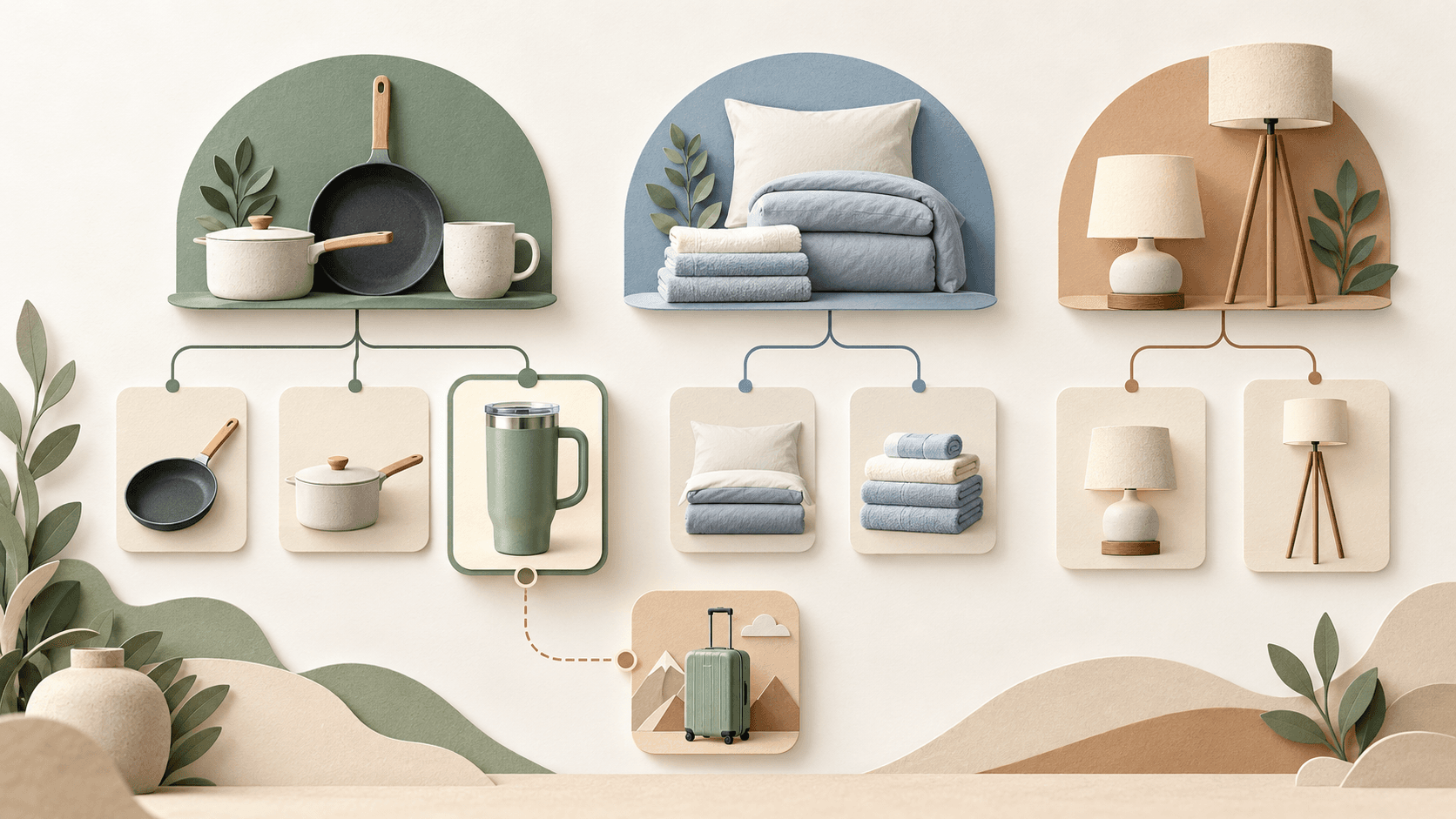

A shopper might look for a travel mug under Kitchen & Dining, Travel Essentials, or Gifts. If your store offers only one of those routes, some shoppers may miss the product. Several routes can lead to the same product page, without creating duplicate listings.
Building a catalog involves three separate decisions: how to group products, which routes to show in navigation, and which filters help shoppers narrow the selection. Keeping those decisions separate makes it easier to add useful ways to shop without adding another layer of categories every time.
We'll work through a hypothetical home goods store selling frying pans, saucepans, mugs, travel mugs, insulated bottles, bedding, towels, and lighting. The examples illustrate design choices; they are not findings from a test of an actual store. Research supporting the recommendations is linked throughout.
Start with your products and your shoppers' tasks
Export your products to a spreadsheet. Include each product's identifier, name, current group, product type, and attributes that affect the purchase. For a frying pan, those might include diameter, material, coating, and cooktop compatibility. For a travel mug, they might include capacity, material, and lid features.
Keep the supplier's original group in its own column and add another for your store's category. That lets you reorganize the storefront while preserving the connection to the source data. If suppliers use names such as “travel mug,” “insulated tumbler,” and “commuter cup,” check whether they describe the same product type or meaningfully different products.
Next, write down what shoppers are trying to do: replace a pan for an induction cooktop, find bedding in a particular size, or take coffee on their commute. Look for their wording in site search logs, customer support conversations, and search queries relevant to your products.
A popular query can suggest a useful way into the catalog without dictating a new category. “Induction-compatible frying pans,” for example, could link to a product list with a compatibility filter already applied.
Decide what needs a category and what needs a filter
A category brings together products that shoppers can meaningfully browse as a group. A filter narrows that group by a particular attribute.
For our example store, the choices might look like this:
| Products or shopping need | Possible approach | Reason |
|---|---|---|
| Frying pans and saucepans | Separate categories | Shoppers generally choose the type of cookware before comparing individual models |
| Frying pans in different sizes | One category with a diameter filter | Shoppers can change the size while keeping their other selections |
| Frying pans for induction cooktops | A compatibility filter, with a prominent link to the filtered list if useful | A helpful shortcut does not require a new branch in the hierarchy |
| Products for a commute or trip | A Travel Essentials collection containing travel mugs and insulated bottles | The collection groups products around a situation |
| Different colors of one travel mug | Variant selection on the product page, where appropriate | A product option does not need its own category |
Consider what shoppers lose when you split a group. If coated and uncoated frying pans sit in separate branches, someone still weighing those options must switch between lists. Baymard's research found that overcategorizing similar products made browsing and comparison harder. Filters let shoppers combine and adjust criteria within a shared list. Baymard's research on overcategorization.
Product count alone cannot settle the question. A small group may represent a distinct product type, while a much larger group may still be easy to browse with filters. Before creating a category, identify the choice it simplifies and the alternatives it will hide from view.
Choose a depth that makes each level useful
An initial hierarchy for our store could look like this:
Catalog
├── Kitchen & Dining
│   ├── Frying Pans
│   ├── Saucepans
│   ├── Mugs
│   ├── Travel Mugs
│   └── Insulated Bottles
├── Bedding & Bath
│   ├── Towels
│   └── Bedding
└── Lighting
    ├── Table Lamps
    └── Floor Lamps
This has two category levels: Kitchen & Dining, followed by a category such as Frying Pans. Product pages sit within the final categories. Treat this as a starting point to test against the store's actual range.
Avoid automatically extending the hierarchy into “Frying Pans → Induction Compatible → Nonstick → 11-inch.” In this example, shoppers can set compatibility, coating, and diameter using filters. A nested chain would force them to choose those attributes in a fixed order.
At the other extreme, putting every category in one long menu creates more options to scan at once. Nielsen Norman Group describes problems with both deep hierarchies and overly broad ones: content can be buried behind too many levels, or become difficult to spot among too many choices. NN/g on flat and deep hierarchies.
There is no universal requirement to reach every product in three clicks. NN/g explains that the three-click rule is not supported as a general usability threshold. The clarity of the route and the effort involved matter too: opening a submenu and waiting for a page to load are different costs. NN/g on the three-click rule.
Evaluate the hierarchy separately from how the interface presents it. A menu could expose Frying Pans and Travel Mugs directly within a Kitchen & Dining group. The category relationships remain intact, while shoppers can skip the parent page.
Decide whether a category page should show subcategories or products
A category page can help shoppers choose a narrower department or let them browse products straight away. The useful choice depends on whether the products at that level form a manageable selection.
Our Kitchen & Dining department includes saucepans, mugs, and insulated bottles. Showing those subcategories with recognizable images could help shoppers choose where to go. Baymard describes this role for intermediary category pages: helping people understand the range and choose a route through a broad assortment. Baymard's examples and guidance.
Once a shopper selects Travel Mugs, a product list with filters would be a reasonable next step. Adding a separate “Choose a material” screen would postpone browsing, even though material could be selected within that list.
If the entire store sold only a few types of travel mug, a department-selection page might add little value. Baymard observed this problem when testing direct-to-consumer sites with smaller catalogs. The finding concerns that context; it does not mean intermediary pages are always unnecessary. Baymard's research on DTC category pages.
For each proposed screen, ask what decision it helps shoppers make that would be harder to make in the product list itself.
Use category names that set clear expectations
A label should help shoppers predict what they will find. “Travel Mugs” is specific; “Everyday Comfort” could refer to bedding, clothing, furniture, or something else. NN/g recommends familiar language and category names with clearly distinguishable meanings. NN/g's guidance on category names.
For our store, these are alternatives worth testing:
| Unclear label | Alternative to test | What it clarifies |
|---|---|---|
| Stay Warm | Travel Mugs & Insulated Bottles | The products included |
| Soft Living | Bedding & Bath | The part of the home the range serves |
| Group 14.07 | Frying Pans | The product type behind an internal code |
Read labels alongside their neighbors. If a menu offers “Kitchen Essentials,” “Tableware,” and “Dining,” shoppers have to work out where those ranges overlap.
Menu labels and page headings can differ in length while keeping the same meaning. Within a clearly labeled Lighting menu, “Table” may be understandable; a standalone page needs “Table Lamps.” A search phrase such as “buy a table lamp with delivery” does not need to become the menu label.
Allow more than one sensible route to a product
Our travel mug sits under Kitchen & Dining, but a shopper may start with the need to take a drink on a trip. A Travel Essentials collection could provide another route to travel mugs and insulated bottles. If it contains different product types, make it easy to narrow the selection.
The same travel mug can retain one product page across those routes. Its primary category in your product data and the links that lead shoppers to it are separate choices.
An awkward fit does not automatically justify another category. NN/g discusses several ways to handle category outliers, including keeping a small number of closely related products in a broader group and supporting discovery with search or filters. NN/g on category outliers.
If shoppers struggle to locate travel mugs, first investigate where they expect to find them. An additional link or a clearer label may solve the problem. One ambiguous product is a reason to investigate before restructuring the entire catalog.
Test uncertain choices and connect findings to changes
When you are unsure how shoppers group products, card sorting can help. Ask participants to organize product names and explain their choices. The labels they suggest are useful input, but they may still need editing before publication. NN/g's introduction to card sorting.
To evaluate a proposed hierarchy, use tree testing. Participants receive a task and choose a location within a text-based category tree, without the site's visual design. You can observe routes, backtracking, and whether they find an appropriate destination. Tasks should avoid giving away the correct category name. NN/g's guide to tree testing.
For our store, a task could be: “You want to make coffee at home and drink it on your way to work. Where would you look for something suitable?” Asking participants to “find travel mugs” would mostly test whether they can match the words.
Define acceptable destinations before testing. A shopper might find a suitable product through Kitchen & Dining or Travel Essentials. Observe whether they understand the route and reach a useful group without prompting.
Then connect the observation to a possible explanation and a change to test. The situations below are hypothetical examples, not results from a study.
| What you observe | Possible explanation | Change to test |
|---|---|---|
| Shoppers choose Travel Essentials but find no relevant group | An expected route is missing | Add access to the relevant products and repeat the task |
| Shoppers hesitate between Kitchen Essentials and Dining | The boundaries between neighboring labels are unclear | Clarify their scope and names, then observe the first choice again |
| Shoppers switch between two pan categories to compare coatings | The split has interrupted comparison | Test a combined product list with a coating filter |
| Shoppers succeed in the tree but struggle on a phone | The interface may be hiding or obstructing the route | Check menu visibility and interaction on the device |
A single mistake does not prove its cause. Ask what the participant expected, revise the uncertain choice, and test again. Tree testing does not reproduce the visual cues or behavior of a real menu, so follow it with a walkthrough of the actual interface.
Document the rules for adding products and building navigation
Save the rules for maintaining the hierarchy alongside the tree itself. For each final category, define what belongs there, which attributes are required, and how to handle borderline products. For each collection, specify its inclusion criteria. In our example, Travel Essentials includes travel mugs and insulated bottles; an ordinary mug would not qualify simply because its supplier named the range “Travel.”
Give the development team separate specifications for the hierarchy, menu links, and page behavior. Otherwise, a diagram with two category levels could become two mandatory selection screens.
Also check that products are reachable through internal links. Google recommends connecting category, subcategory, and product pages. Site search is not a substitute, because Googlebot generally does not submit searches. Google also explains that it usually understands site structure through page links rather than folders in URLs. Google Search Central's ecommerce navigation guidance.
Keep a short decision log: what you chose, why, how you tested it, and what would prompt a review. For travel mugs, that would cover the primary category, the additional route through Travel Essentials, and the filters within the product list. When new product types arrive or shoppers repeatedly get stuck, the log will show which decision to revisit.